
Best HVAC Software for Small Business (2026)
Compare five real HVAC business software platforms for teams of 1–10 technicians: Jobber, Housecall Pro, Workiz, ServiceTitan and FieldPulse. Research scheduling, dispatch, equipment records, maintenance plans and total subscription cost—then use the interactive tools to build a shortlist that reflects your operation.
Independent, documentation-based research. “Best” means suitable for a specific workflow—not a tested winner or a numerical score. Feature access and prices change by plan.

Which HVAC software should you shortlist?
There is no universal winner. Your best starting point depends on the work you sell, the number of people who need logins, and whether maintenance contracts or complex installation projects dominate.
For a solo operator, first demonstrate a real book → complete → invoice job using the plan you can afford. For three to five technicians, add technician reassignment, customer communication, job notes and recurring visits. For larger or mixed commercial crews, the evaluation may expand to equipment histories, agreements, financial reporting and onboarding.
Jobber
Compare its published Core/Connect/Grow bundle structure and quoting, scheduling and invoicing workflows; verify which seat bundle and add-ons you need.
Housecall Pro
Explore documented memberships, online booking, flat-rate pricing and reporting; ask which plan includes the exact service-plan workflow.
Workiz
Investigate integrated communications, HVAC equipment records, field proposals and service plans; request an actual package quote.
ServiceTitan / FieldPulse
Study structured service agreements, job costing and equipment records; weigh implementation demands alongside available customization.
Six things to verify before requesting demos
The right software must connect the customer's property, equipment, technician and service contract—not simply show an impressive calendar.
Dispatch under pressure
Ask a vendor to fit a no-cooling emergency between existing appointments, reassign a technician and show exactly which customer and staff notifications are triggered. “Routing” and automatic dispatch are not identical.
Maintenance agreements
Recurring appointments, an agreement ledger, included visits and recurring payment collection are separate functions. Demonstrate a two-visit yearly plan, one skipped appointment and renewal.
Asset history by property
One homeowner might have several systems. Ask whether technicians can view model numbers, serial numbers, installed dates, photos and past repairs per unit without losing the property's overall history.
Estimates and approvals
Installation work may need Good–Better–Best options, customer signatures, equipment materials, deposits, job costing and staged invoicing. Test the full approval flow rather than individual screens.
Mobile documentation
Have a technician walk through receiving a call, finding history, taking photos, recording notes and marking work complete. Check mobile reception and what really works offline.
Full cost and migration
Count all office and field users. Check subscription commitments, extra seats, phone/AI add-ons, payment fees, onboarding, exports and accounting sync. A low teaser price rarely tells the whole story.
Look at the office side, too
A real HVAC business needs call intake, customer confirmation, schedule visibility and follow-up, not only a technician app. This becomes more important when two people answer phones or the owner is in the field all day.
For deeper scheduling detail, read Field Service Scheduling & Dispatch Software and for customer follow-ups, see Contractor CRM Software.

Five HVAC software platforms worth evaluating
This list is ordered for editorial readability, not an independently tested ranking. Each product may suit a different operation, and listed capabilities may require additional plans, access or add-ons.
Jobber

Published Jobber dashboard view of requests, quotes, jobs and invoices.
View original on Jobber ↗ Marketing dashboard image. May differ from the live product or subscription experience.Jobber publishes HVAC tools for booking, calendar scheduling, customer/job records, quotes, invoicing, recurring maintenance and mobile work. Its Core, Connect, Grow and Plus offerings vary substantially by features and included users.
When to investigate: Investigate first if your operation primarily needs a clean job lifecycle, recurring visits and modest office workflows; do not assume basic packages include advanced routing, job costing or every automation.
Pricing: Public list price depends on tier, team size, and billing term.
Housecall Pro
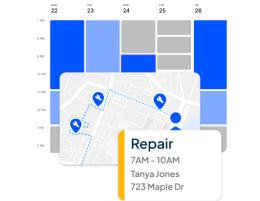
Published Housecall Pro visual showing scheduled jobs and a route/map interface.
View original on Housecall Pro ↗ Marketing interface illustration, not a verified live screenshot of the selected plan.Housecall Pro documents HVAC job booking, dispatch, flat-rate pricing, customer/equipment history, estimates, mobile invoicing and service plan workflows. Its published Basic, Essentials and Max packages have distinct included-user and advanced-feature limits.
When to investigate: Investigate if memberships, field estimates and customer-facing payment workflows feature heavily in your operation; check whether service plans, equipment features and reports require a larger package.
Pricing: Public starting prices exist; plan-specific user allowances matter.
Workiz
Workiz help-center screenshot showing revenue, job metrics and communication overview.
View original on Workiz ↗ The newer dashboard is gradually rolling out; account layouts may differ.Workiz documents HVAC phone and messaging workflows, sales proposals, service plans, equipment tracking, pricebooks, AI answering and support for multi-day projects. Its current Standard, Pro and Ultimate pricing requires direct inquiry.
When to investigate: Investigate if missed calls, incoming leads, HVAC sales proposals and communication history are daily priorities. Verify which communications tools, AI products and plan limits are actually included.
Pricing: Quote required; optional call, AI and automation usage may affect cost.
ServiceTitan

ServiceTitan-published dashboard example with sales, revenue and conversion indicators.
View original on ServiceTitan ↗ Screenshot shown in a 2023 vendor article; current software screens may be different.ServiceTitan documents HVAC dispatch, estimating, customizable memberships, field-service reporting, equipment history and job costing across residential and commercial work. Packages Starter, Essentials and The Works are offered with quote-based per-technician pricing.
When to investigate: Investigate if reporting, multi-step replacements, memberships and deeper operations justify implementation effort. Request specific quotes and an onboarding plan before comparing it to less complex configurations.
Pricing: Quote required and priced on a per-technician model.
FieldPulse
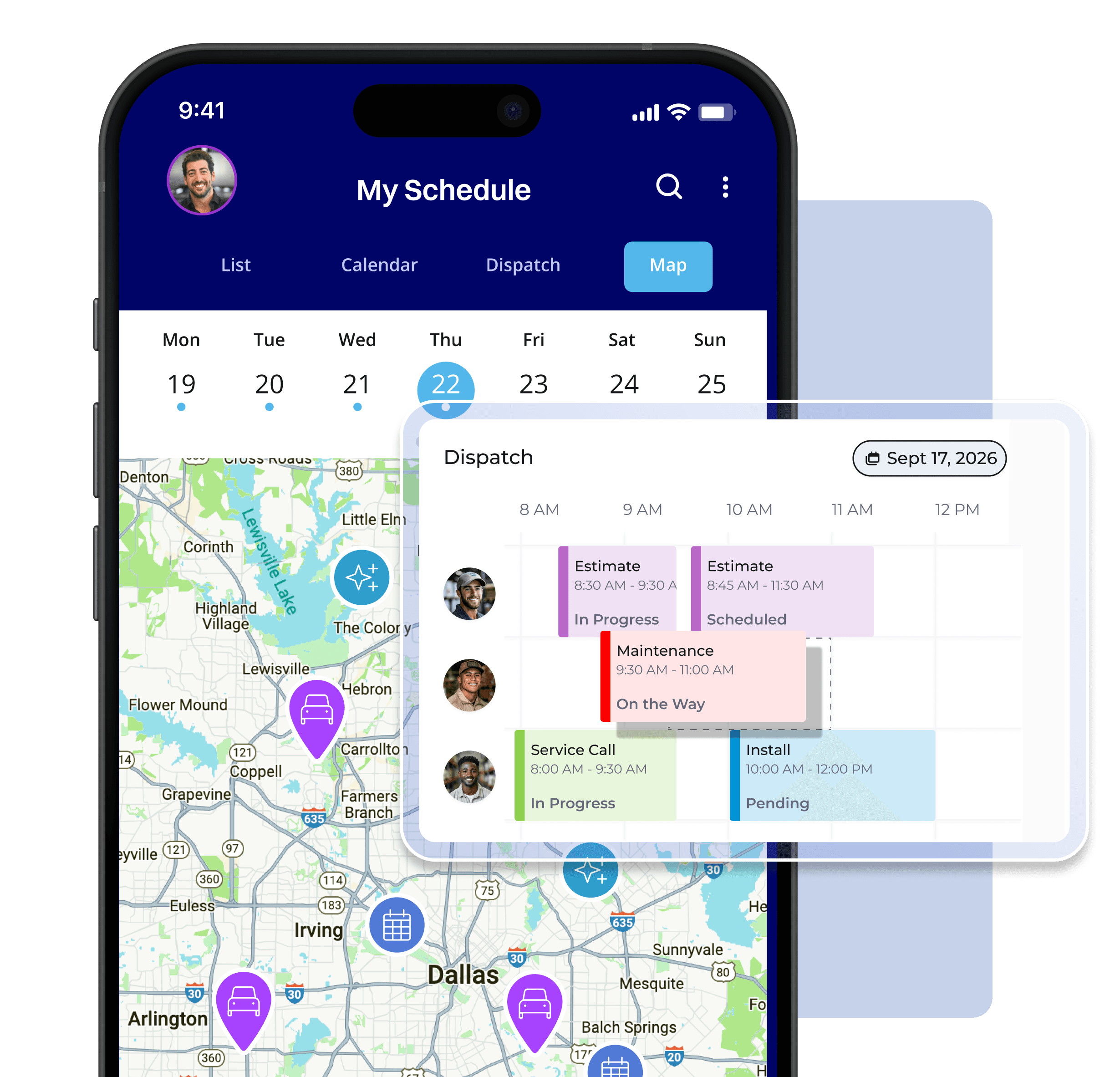
FieldPulse-published mobile schedule, route map and dispatch timeline.
View original on FieldPulse ↗ Promotional composite illustrating UI; plan access and current appearance should be confirmed.FieldPulse documents HVAC dispatch, CRM, mobile job updates, asset histories, estimating, project tracking, reports and customizable workflows. Its current pricing is seat-based and personalized; optional premium modules may increase the quote.
When to investigate: Investigate when equipment records, configurable workflows and multiple team views are critical. Confirm which premium communications, pricebook and AI components are included or quoted separately.
Pricing: Custom seat-based quote; optional premium products.
Compare the capabilities that matter
Select two or three platforms; then review documented capabilities and what still needs confirmation. No fabricated green checks, scores or vendor rankings.
Build your comparison
Select 2–3 options. Each column summarizes relevant public documentation; subscription details must be checked with the vendor.
Ask about the missing information
The phrase “equipment tracking” could mean client notes, asset profiles or unit-specific service histories. Similarly, “automation” may refer to reminders, recurring jobs, marketing, AI answering or accounting triggers. Those differences affect real HVAC businesses.
See our dedicated AI Automation for Contractors article for an analysis of automation tasks that should still include human oversight.
Choose by the work your HVAC business sells
These are practical evaluation paths, not measured product rankings. Select a scenario to reveal the features and vendor questions that matter most.
What describes your operation?
Emergency and maintenance work
Test a last-minute no-cooling call, an existing tune-up booking and customer notifications. Ask which user roles can reassign technicians and review outstanding estimates.
Replacement jobs and follow-up
Test multi-option proposals, equipment ordering, material cost updates and partial invoices on an illustrative installation. Evaluate the reports your bookkeeper needs.
Confirm the technician documentation workflow
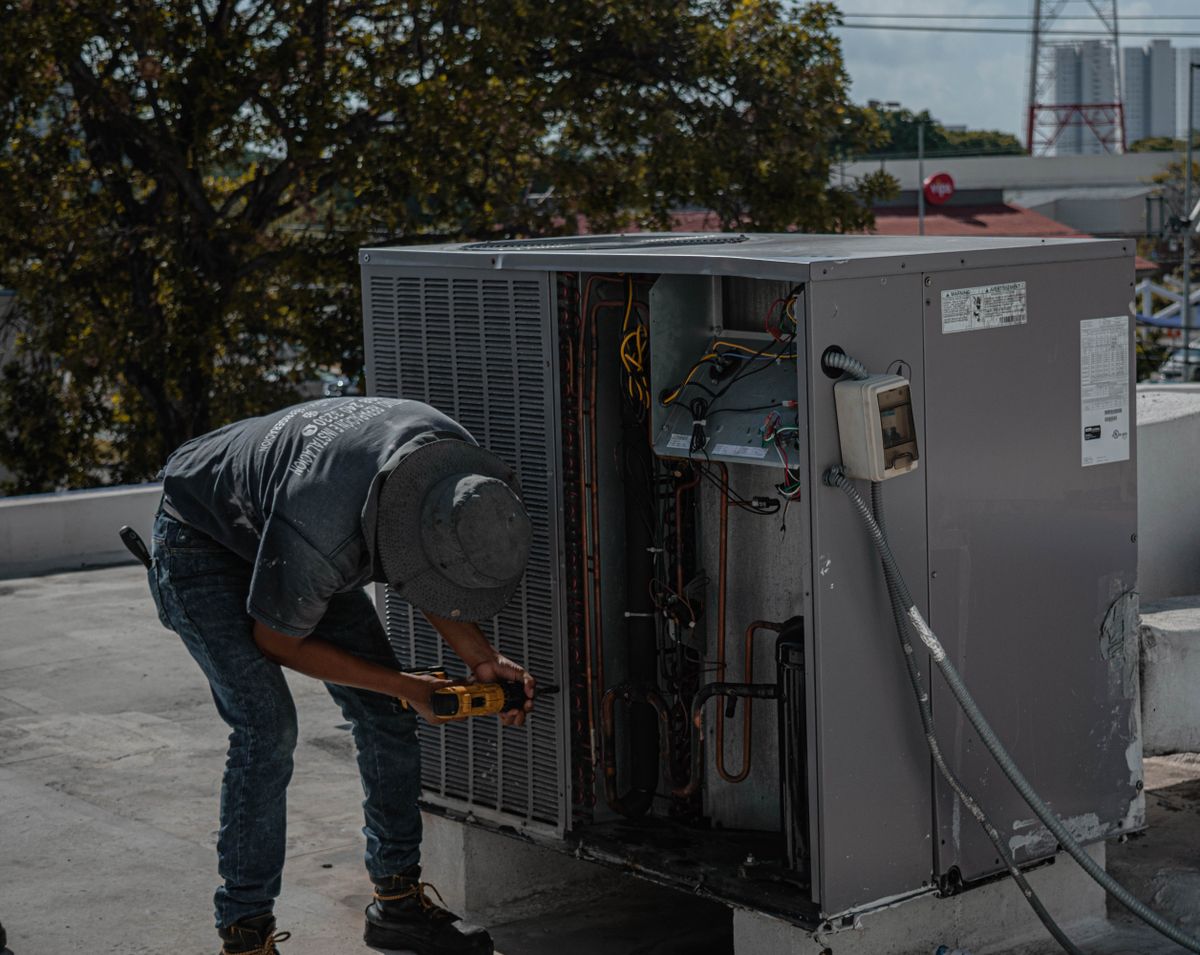
Whether a technician is inspecting an indoor unit or visiting a commercial rooftop, reliable job notes, the right customer record and a clear handoff to the office matter. Ask each vendor to show this in the mobile app using your planned subscription.

Maintenance agreements are a separate buying test
An agreement is not just a repeating appointment. It can combine visit entitlements, equipment, recurring billing, customer communications and renewal terms.
Run the same seasonal-maintenance demo in all five platforms
Assume a customer has two HVAC systems and a plan with spring and fall inspections. Ask whether the vendor can schedule each visit, track which unit was serviced, attach before/after notes, identify remaining included work and invoice additional repairs separately.
Then ask what happens when the agreement renews, one visit is postponed, the customer changes address, or billing fails. These edge cases often reveal more than a polished dashboard.
Learn the broader workflow in our HVAC Software guide and compare platforms with your actual maintenance-contract terms.

- Separate the maintenance schedule from customer agreement dates.
- Confirm equipment-level records instead of relying on property-wide notes.
- Check recurring invoicing, payment permissions and failed-payment handling.
- Ask how included visits and additional chargeable repairs are distinguished.
- Ensure technicians can see the contracted scope before arriving.
What does HVAC software actually cost?
There is no fair single “starting price” that compares all five vendors with the same users, billing terms and functionality.
Jobber
The published pricing page lists Core, Connect, Grow and Plus, with different fees for no-commitment, one-year-commitment and annual-prepay options and multiple user bundles. An entry “from” price does not establish five-user HVAC costs.
See official Jobber prices →Housecall Pro
Basic, Essentials and Max have stated starting rates and distinct included-user allowances. Basic is shown starting at $59/month under annual billing on the public pricing page, but prices vary by billing settings, team selection and offers.
See official Housecall Pro prices →Workiz
Current Standard, Pro and Ultimate plans display “Request pricing.” Verify the needed plan, numbers, calling/AI usage, technician seats and service-plan eligibility before entering a comparison amount.
See Workiz plan features →ServiceTitan
The current pricing page describes Starter, Essentials and The Works using a per-technician model, without a universal published amount. Ask about implementation costs and the products needed for your workflows.
See ServiceTitan plans →FieldPulse
Current seat-based pricing is configured to the team's access needs, and premium communications, AI, financing or pricebook options may add cost. Older support-page rates should not be treated as current.
See FieldPulse pricing →HVAC software cost planner
Model a hypothetical or quoted subscription using transparent formulas. The example numbers are editable planning inputs—not prices attributed to any of the five providers.
Prepare a useful vendor demo checklist
Select what matters. The worksheet summarizes your priorities and builds demo questions; it does not assign an invented vendor score.
My HVAC software priorities
Choose the questions relevant to your company. This tool is local to your browser and does not send data anywhere.
Before you sign a subscription
Request a walkthrough of your own customer scenario using your exact proposed package, not the sales-demo environment. Ask for user limits, add-ons, API rights, data migration steps and cancellation terms in writing.
If you're considering switching products, compare our Jobber vs Housecall Pro, Jobber vs Workiz and Housecall Pro vs ServiceTitan articles for narrower head-to-head trade-offs.

Pre-purchase verification
0 of 8 checked
Frequently asked questions
Direct answers to questions a small HVAC business owner is likely to ask before evaluating the five software platforms.
What is the best HVAC software for a very small business?
Start with your highest-friction tasks, not a brand ranking. For a solo HVAC contractor, booking, customer records, field notes, estimates and payment may outweigh advanced reporting. Compare what one paid user can do on the vendor plan you would actually purchase.
Are Jobber and Housecall Pro both suitable for HVAC work?
Both vendors publish HVAC-specific scheduling, CRM and billing workflows. The meaningful difference is what your intended package includes, the user allowance and how maintenance, quoting or integrations are implemented.
Which platform offers equipment records for HVAC systems?
Housecall Pro, Workiz, ServiceTitan and FieldPulse publish different forms of equipment or asset tracking. Jobber documents client/property/job information; confirm whether its actual equipment-record fields satisfy your requirements. Ask every vendor to model several HVAC units at one address.
Can HVAC software automate seasonal maintenance visits?
Some platforms support recurring jobs, while others document dedicated Service Plans or memberships. Scheduling the appointment, tracking plan entitlements and recurring payment processing should be demonstrated separately.
How much does HVAC software cost for five technicians?
The answer depends on whether the owner, dispatcher and bookkeeper also require paid accounts, plus tier, optional communications, integrations, billing term and implementation. Request equivalent quotes from vendors and use the calculator here as a neutral planning tool.
Do Workiz, ServiceTitan and FieldPulse have public monthly prices?
Their current general pricing materials emphasize custom quotes rather than one universal public monthly price for the plans researched here. Avoid using old third-party price cards as current facts.
Is ServiceTitan better for a growing company?
ServiceTitan documents a broad range of financial, membership, dispatch and commercial HVAC functions. But feature depth alone does not prove it is the best value for a specific small company. Compare training, implementation, cost and the actual workflows you need.
What matters for emergency HVAC dispatch?
Ask staff to fit a sudden outage into an already full calendar, dispatch a qualified technician, handle customer notifications and update office/job records. Routing tools do not necessarily make automated technician-selection decisions.
What is the difference between HVAC software and contractor CRM?
HVAC field-service software manages work from request through scheduling, dispatch, equipment/service history, quoting and payment. CRM emphasizes leads, contact records, communication and follow-up. Many platforms combine capabilities, but advanced pipelines may be separately priced.
Can I import customers and equipment history from another system?
Ask both your current and prospective provider which records can be exported or imported, with exact formats and retention rules. Test customer, location, unit, agreement, estimate and invoice fields on a representative subset before cancelling the old platform.
Do I need AI answering software?
Only if call coverage and missed opportunities justify the workflow and cost. Verify call forwarding, explicit customer disclosures where required, booking authority, escalation, privacy and usage charges. Human oversight remains important.
Is this list based on hands-on testing?
No. BizAppGuide is using current publicly available vendor materials and an explicit buyer-criteria framework. These five products have not been subjected to a controlled, identical test in this article. Read the methodology and confirm plan eligibility with vendors.
Research transparency and official sources
The buying guidance is based on vendor-documented capabilities and publicly available pricing pages, accessed for this October 19, 2026 reference. It is not a controlled hands-on test or a live subscription feed.
We reviewed the product and pricing materials for each candidate and considered the use cases of a small HVAC service company. Product descriptions come from the vendors themselves. We did not purchase accounts, verify call-answering performance, compare live technician locations, calculate realized savings or independently confirm proprietary vendor outcome statistics.
Because packages vary by user count, plan, rollout, geography and optional services, any strong recommendation must wait until your company checks the current offer and performs a demo. See How We Test / Research Methodology for the site's editorial approach and Terms of Use for website information. These articles may contain research limitations and may be updated as features change.
- Jobber HVAC product overview
- Jobber official pricing
- Housecall Pro HVAC software
- Housecall Pro official pricing
- Housecall Pro service agreements
- Workiz HVAC software
- Workiz plans
- ServiceTitan HVAC platform
- ServiceTitan maintenance agreements
- ServiceTitan per-technician pricing
- FieldPulse HVAC-R platform
- FieldPulse quote-based pricing
Compare software against your real HVAC workflow.
Build a shortlist of two or three vendors, ask for a demo with real customer and equipment records, and calculate the full subscription cost before signing.