Skip to content
Find My Software
Navigation menu
Explore BizAppGuide
Find My Software

Independent software guidance for the way you work.

INDEPENDENT SOFTWARE RESEARCH

AI Automation for Contractors: Tools, Workflows & Costs.

Explore AI automation for contractors who manage HVAC, plumbing, electrical and other field-service work. Research real AI receptionists, customer follow-ups, scheduling assistance and operations insights—and find out what still requires human oversight.

Official vendor sourcesNo fake AI rankingsFree budget planner
Customer support professional using a headset and laptopHuman-led service. Thoughtful automation.

START WITH THE WORK, NOT THE HYPE

Where Could AI Automation Actually Help?

AI tools are most useful when they solve a specific operational bottleneck. For a small service company, the bottleneck is often a missed inquiry, an incomplete booking request or another follow-up that gets delayed while the team is out on jobs. Traditional rules-based automation can sometimes solve the same problem more simply.

Missed Calls & Inquiries

AI answering services can ask intake questions, capture contact details and summarize a customer's problem. Capabilities vary: some merely create a message, while others interact with a connected calendar.

Demo question: What happens when the AI is uncertain or the caller asks for a human?

Scheduling Friction

Some AI tools can suggest or book an appointment using live availability. Check whether skill requirements, service areas, appointment duration and business rules are considered before confirming the job.

Demo question: Can a booking be reviewed before a technician is committed?

Unfinished Follow-ups

Quote reminders, visit confirmations and review requests may be possible through AI-assisted or rules-based workflows. The key question is whether the right message reaches the right customer with appropriate consent.

Demo question: Can we review and stop automated messages easily?

Hard-to-Find Business Insights

Some assistants can answer natural-language questions about jobs, calls or customer records. Results depend on data quality and product access; AI summaries still need review before important business decisions.

Demo question: Which records support each answer, and can we inspect them?

Repetitive Office Writing

AI writing aids can draft estimates, service summaries, replies and marketing messages. They should not invent parts, prices, technical diagnoses or policy promises; a person should approve consequential content.

Demo question: Where does draft information come from?

Escalation & Quality Control

Automation needs boundaries for emergencies, complaints, financing, warranties and unclear instructions. Good deployments define when the system stops and routes the issue to a trained employee.

Demo question: Can we audit conversations and change escalation rules?

INTERACTIVE EDUCATIONAL DEMO

See Where Automation Meets Human Judgment.

Choose a fictional contractor situation. The flow below illustrates a careful automation design, not the exact behavior of any vendor. It makes explicit what could be automated and when a human should take over.

Choose a service scenario

Three examples for a U.S. HVAC, plumbing or general maintenance team.

This demo doesn't call, text, book, or access real business data.

Routine service request

A balanced intake workflow with confirmation.

1
Receive the inquiryCapture name, contact details and the requested service.
2
Check your service rulesConfirm service area, availability and the type of technician required.
3
Offer an appointment windowOnly if the connected calendar supports reliable booking.
4
Log the request and notify the teamInclude the customer’s instructions and a human review option.
Human checkpoint: Escalate uncertain pricing, unusual technical questions and customer complaints.
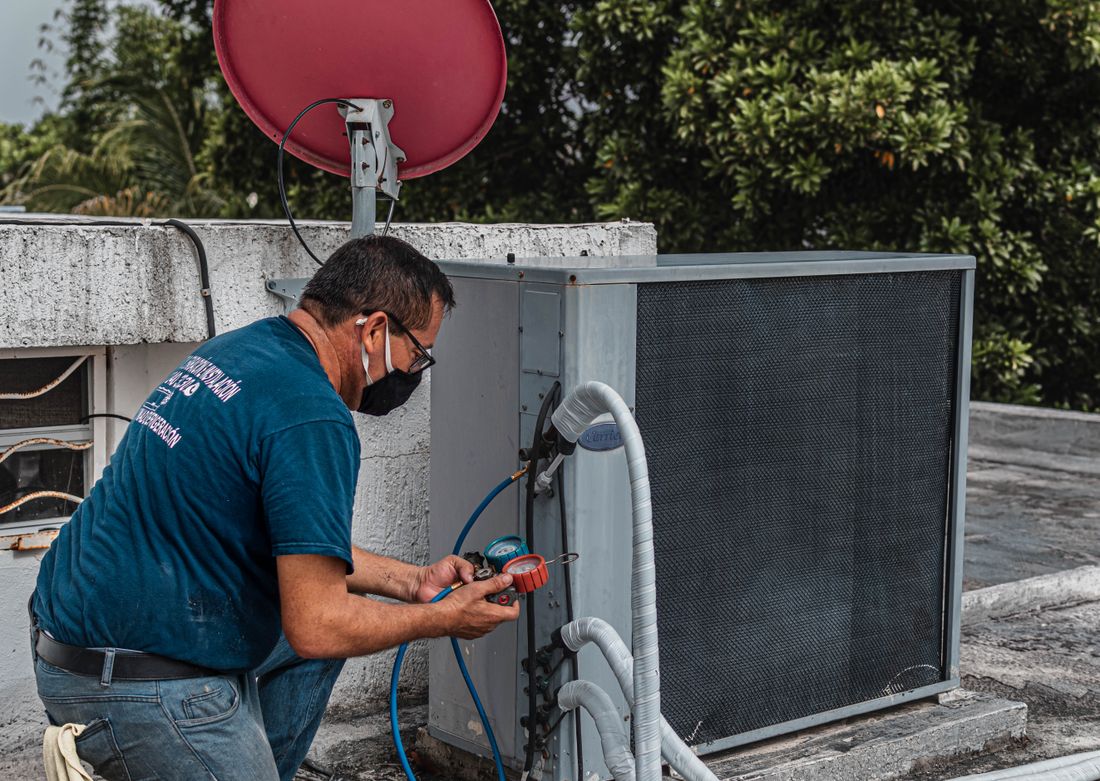
HVAC technician inspecting an outdoor air-conditioning unit

FIELD WORK STILL COMES FIRST

Automate the handoff. Not the judgment.

When the phone rings during an HVAC service call, a receptionist or office teammate may not be available. An AI intake tool can collect details, but a technician or dispatcher must still evaluate urgency, feasibility and safety. Useful contractor automation connects the office and field without pretending to replace technical expertise.

  • Capture requests consistently
  • Confirm qualifications and job availability
  • Keep a human in control of exceptions

OFFICIAL-SOURCE PLATFORM DIRECTORY

Explore Five AI Automation Options for Contractors.

This is a curated research directory, not a ranking. These platforms are not identical products: some are field-service systems with built-in AI, and one has a particular emphasis on customer conversations. Explore the differences before choosing an add-on or switching your software stack.

J

Jobber AI

Field-service platform with AI assistant and receptionist

Jobber documents an AI-powered Receptionist that can handle voice and text inquiries, take requests, create follow-up tasks and book jobs using configured settings. Jobber also describes voice and chat assistance for routine tasks. Feature and plan access vary.

AI receptionistBooking requestsVoice & chat
Verify in a demoWhich plan or add-on is required? Can the receptionist transfer urgent requests, and does it use your real schedule and service rules?
H

Housecall Pro AI Team

AI Team with separate CSR AI call-handling option

Housecall Pro documents Analyst, Coach, Marketing and Help assistants as well as CSR AI for handling incoming customer calls and conversations. The voice answering product is an optional add-on; individual channels and booking options must be confirmed in the current account.

CSR AIBusiness insightsWriting assistance
Verify in a demoWhich CSR AI functions are activated today? What do chat, text and voice each support, and what is billed separately?
W

Workiz Genius

AI answering, dispatch and communication workflows

Workiz documents Genius Answering for handling incoming calls and messages and, with appropriate settings, booking or assigning jobs. Its AI and communication offerings also include call summaries and scheduling assistance. Check whether each function is part of your subscription.

Genius AnsweringDispatchCall insights
Verify in a demoHow does the system match job type, technician skills and service area? What review controls exist before an AI booking is dispatched?
S

ServiceTitan Atlas

In-platform conversational assistant for trade operations

ServiceTitan documents Atlas as an AI assistant for technicians, office staff and managers to find operational information and support workflows inside ServiceTitan. Atlas is not the same product category as a standalone AI receptionist, so compare your intended tasks rather than assuming phone-answering parity.

In-platform assistantJob contextOperations information
Verify in a demoWhich Atlas actions are enabled for each role? What products or permissions are needed, and can you inspect original records?
P

Podium AI Employee

Customer communication, lead follow-up and booking

Podium describes an AI Employee that responds to inquiries, qualifies leads, coordinates appointments, sends confirmations and manages follow-ups. Its home-services offering targets HVAC, plumbing and electrical businesses. Verify direct integration with your existing field-service software before purchasing.

AI conversationsLead qualificationAppointment follow-up
Verify in a demoCan it see actual technician availability, update the correct job record, and escalate urgent service issues? Which integrations are available?

Showing 5 researched providers.

These cards summarize vendor-stated capabilities rather than firsthand testing. Check all product availability, feature permissions, usage limits and prices directly with the provider.

INTERACTIVE VENDOR RESEARCH

Compare Your AI Shortlist.

Select two or three cards above, then review the differences between the products' documented roles. The comparison avoids unsupported feature-by-feature guarantees because the tools have different scopes and subscription requirements.

0 providers selected

Choose two or three vendor cards above.

A research question is not a missing-feature verdict. Always ask for a live demonstration of the exact workflow you need.

GUARDRAILS BEFORE YOU DEPLOY

Six Checks That Matter More Than a Flashy Demo.

AI automation brings new failure modes alongside convenience. Keep customers informed, protect private data and make sure urgent calls reach a human promptly. Rules for call recording, text marketing and privacy differ by jurisdiction.

Clear AI Disclosure

Consider identifying automated answering clearly. Verify call recording and consent requirements for the states where customers and staff are located.

Urgent Escalation

Test emergencies, leaks, electrical hazards, gas concerns and angry callers. The assistant should not diagnose dangerous conditions or promise technician arrival without confirmation.

Data Permissions

Ask what customer records, call transcripts and financial reports are accessible, how long they are retained, and what controls administrators have.

Calendar Integrity

Verify technician availability, licensing, skills, travel buffers and service areas. Never equate a created calendar entry with a confirmed dispatch.

Pricing Boundaries

Require human sign-off for non-standard pricing, warranties, credits, financing terms and replacement recommendations to avoid accidental promises.

Audit & Fallback

Look for conversation logs, clear handoffs, message approval settings and easy ways to disable the automation if results are unreliable.

FREE SOFTWARE BUDGET PLANNER

Model the Full AI Automation Cost.

Build a budget using editable hypothetical inputs. Include the existing platform subscription, AI add-on, usage charges and initial setup. This is a cost model—not a vendor quote or a promised return on investment.

Enter Your Monthly Assumptions

The example figures are invented for arithmetic only. Replace them with your actual quotes.

Estimated Recurring Cost

$263.50

Monthly total in U.S. dollars

First year including setup$3,412.00
Three years including setup$9,736.00
Monthly cost mix
CoreAIUsage

This scenario assumes the same monthly charge each month. It excludes taxes, fees you have not entered, per-minute adjustments, overages, annual increases and future integrations.

BEFORE REQUESTING A DEMO

Your Practical AI Buying Checklist.

Use these questions to evaluate safety, integration and true ownership costs. Tick them when you've received an answer you can verify—not when a vendor promises an unspecified future feature.

0 / 11

Requirements reviewed

COMMON BUYER QUESTIONS

AI Automation for Contractors: FAQs.

A clear explanation of what these systems do—and what contractors should confirm with vendors before paying.

What does AI automation for contractors mean?
It refers to tools that use AI to support service-business activities such as handling calls, capturing customer requests, drafting replies, finding information and assisting with scheduling. Not all automation requires AI; ordinary rules can be more predictable for simple reminders.
What is an AI receptionist for HVAC or plumbing?
An AI receptionist is software that may answer calls or messages using configured business information. Depending on the system, it can ask intake questions, log a request, suggest availability or arrange a booking. Always verify escalation rules, supported languages, channels and costs.
Can AI book a real technician appointment?
Some vendor products document booking into connected scheduling systems. Verify that appointment duration, service areas, technician skills and calendar availability are taken into account. If the system only sends a request for later review, do not describe that as an automatically confirmed dispatch.
Can AI replace our office dispatcher?
Not reliably for every situation. Routine intake and follow-ups may be candidates for assistance, but service emergencies, unusual quotes, cancellations, customer complaints and scheduling conflicts still need trained people and clear operating rules.
What's the difference between AI and ordinary automation?
Rules-based automation follows predefined triggers such as sending a reminder before a scheduled visit. AI may interpret natural-language requests or draft a response. For a repeatable, tightly defined task, a simple rule can be easier to audit and less error-prone.
Which contractor software has built-in AI?
Jobber, Housecall Pro, Workiz and ServiceTitan publicly document different kinds of AI assistance. Podium also documents an AI Employee aimed at customer communications and bookings. Their products do not have equivalent scopes, and individual capabilities may depend on tier, permissions, region or add-ons.
Can AI follow up on open estimates?
Some platforms provide automated communication, messaging or AI-supported follow-ups. Ask exactly how a follow-up is triggered, what data it uses, whether your team can approve the message, and how customers can opt out where required.
How much does AI contractor software cost?
Cost depends on whether the AI service is built into an existing platform, a separate product or a usage-priced add-on. Quotes may include seats, calls, conversations, minutes, setup and integration fees. The calculator on this page helps model assumptions but does not state vendor prices.
Is an AI-powered phone system legal to use?
Legal requirements vary by jurisdiction and use case, including disclosure, call recording, privacy and marketing communications. Review applicable rules and obtain qualified legal advice rather than assuming one national rule covers all U.S. states.
What should we test during a vendor demo?
Use realistic examples: a routine booking, a customer demanding a human, an after-hours emergency, a wrong service area, a quote follow-up and an existing appointment change. Check the actual records created, what the AI did not do, and who receives the handoff.


EDITORIAL METHODS & REFERENCES

Verify the Claims. Know the Limits.

This independent research guide summarizes publicly available vendor documentation and practical buying considerations. It does not claim hands-on product trials, comparative performance testing or guaranteed customer outcomes.

What to Confirm

AI product capabilities evolve quickly. Vendor marketing pages may describe more than a specific subscription includes. Check current access, geographic support, integration scope, actual job-booking behavior, conversation limits, optional channels and cancellation terms.

All example scenarios and calculated costs are illustrative. Any vendor facts should be rechecked before a purchasing decision. The editorial reference review for this page was conducted in October 2026.

Independent editorial note: Listing a company does not indicate an affiliate partnership, paid placement, award or performance ranking.

Photography uses free-to-use Pexels images without visible credit captions. No pictured person endorses a vendor or BizAppGuide.

MAKE A PRACTICAL DECISION

Start with One Repetitive Task. Measure What Changes.

Choose a real bottleneck, run a controlled vendor demonstration and validate the handoff before expanding your automation.

Scroll to Top